How can I enable push notifications on the Base Power app?
Edited
Base sends all power outage notifications exclusively via app push notifications. This includes real time notifications when the outage begins, if your battery is draining quickly due to high usage, and when the outage ends.
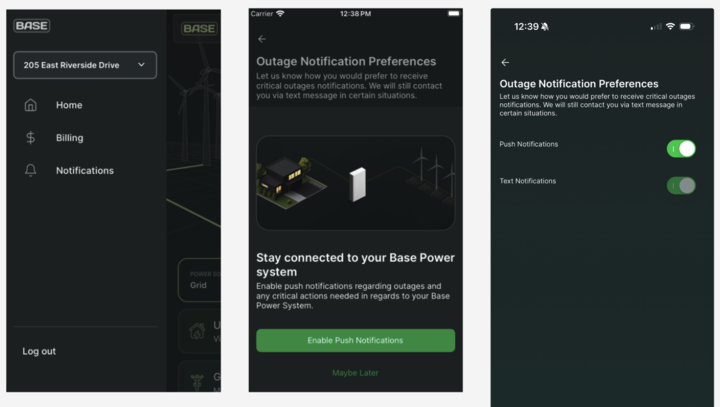
Steps for enabling push notifications:
1. Download the Base Power app (available on iOS and Android)
2. Open the side navigation bar
3. Click on "Notifications"
4. Select "Enable Push Notifications"
5. Toggle "Push Notifications" to "On"
Was this article helpful?
Sorry about that! Care to tell us more?